The first thing to open when a PC has a problem
One scan finds failing drives, blue screens, bad RAM, crashing apps, broken services and more. Every problem is ranked by how serious it is, with the actual numbers and what to do about it. Portable: run it from a USB stick, nothing to install.
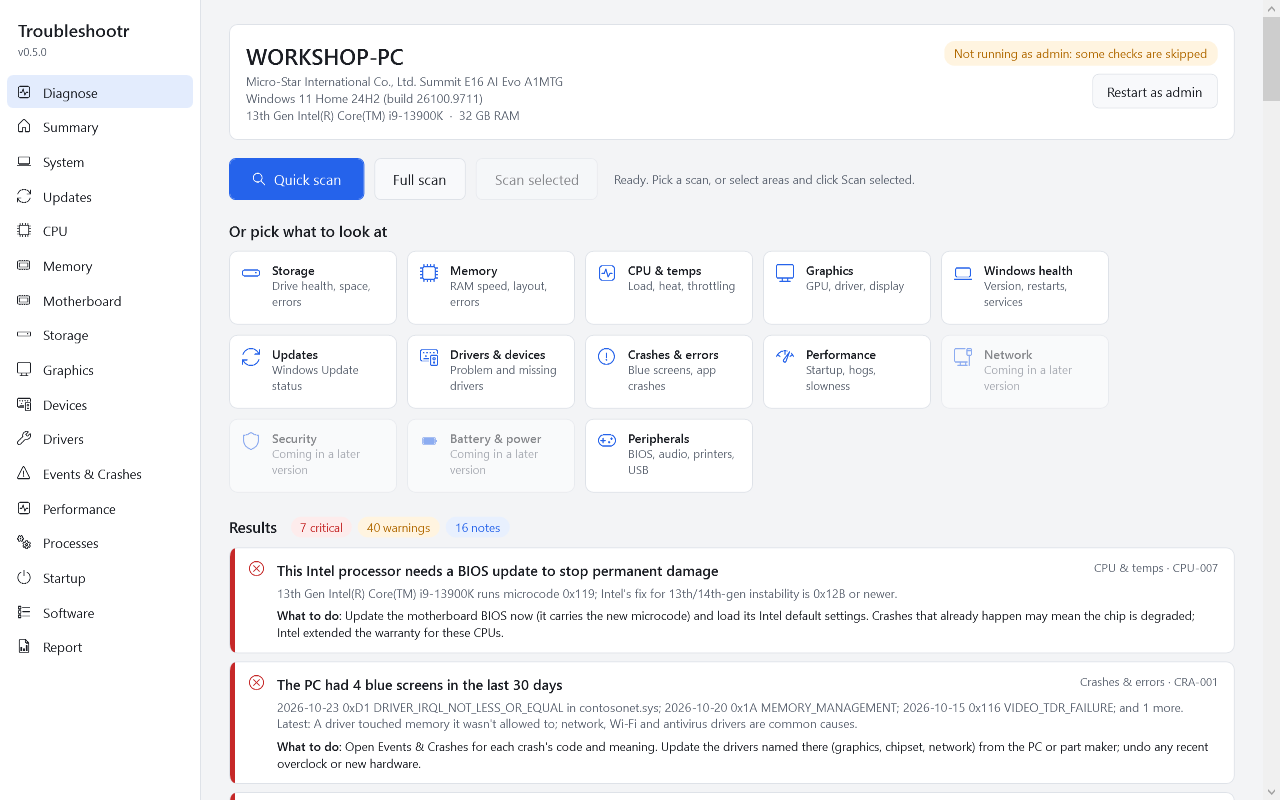
Finds the problem, explains it, says what to do
Built for technicians and enthusiasts. Every finding shows the evidence (the real numbers), not just a red light.
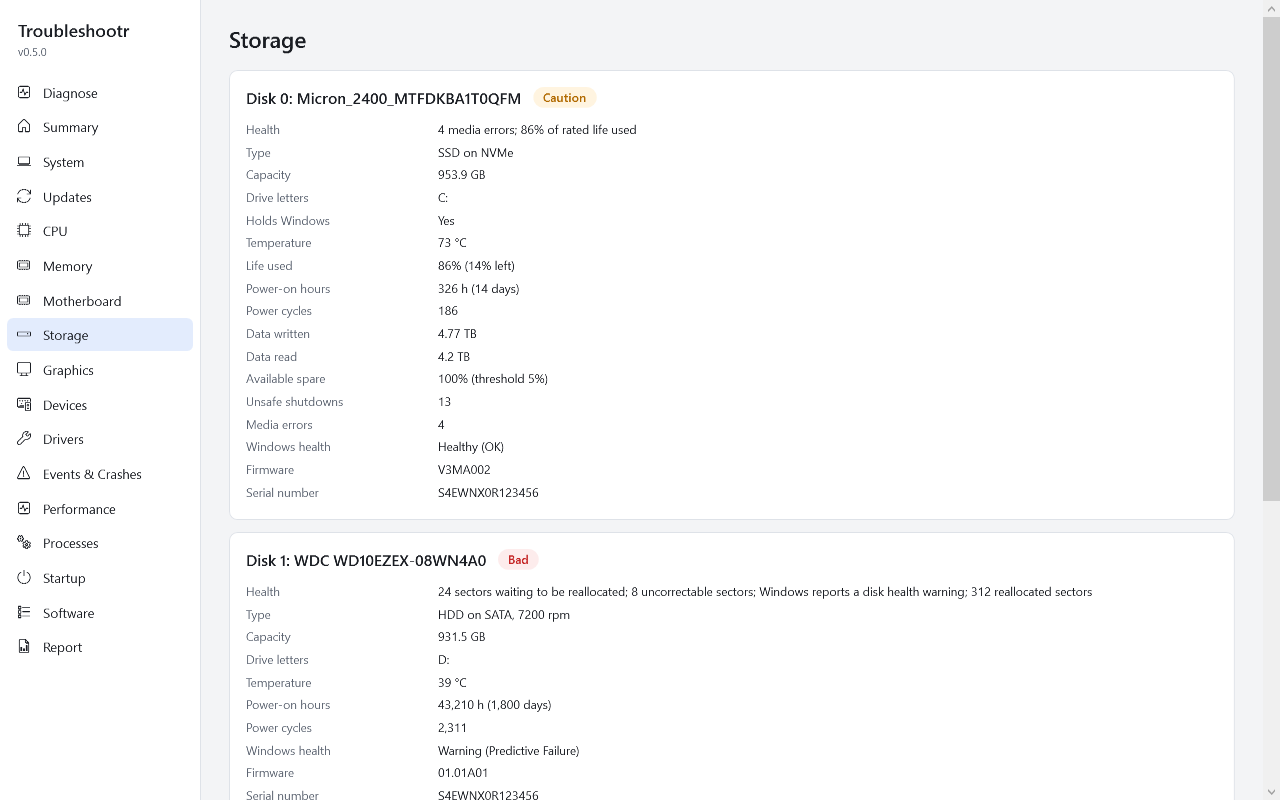
Drive health
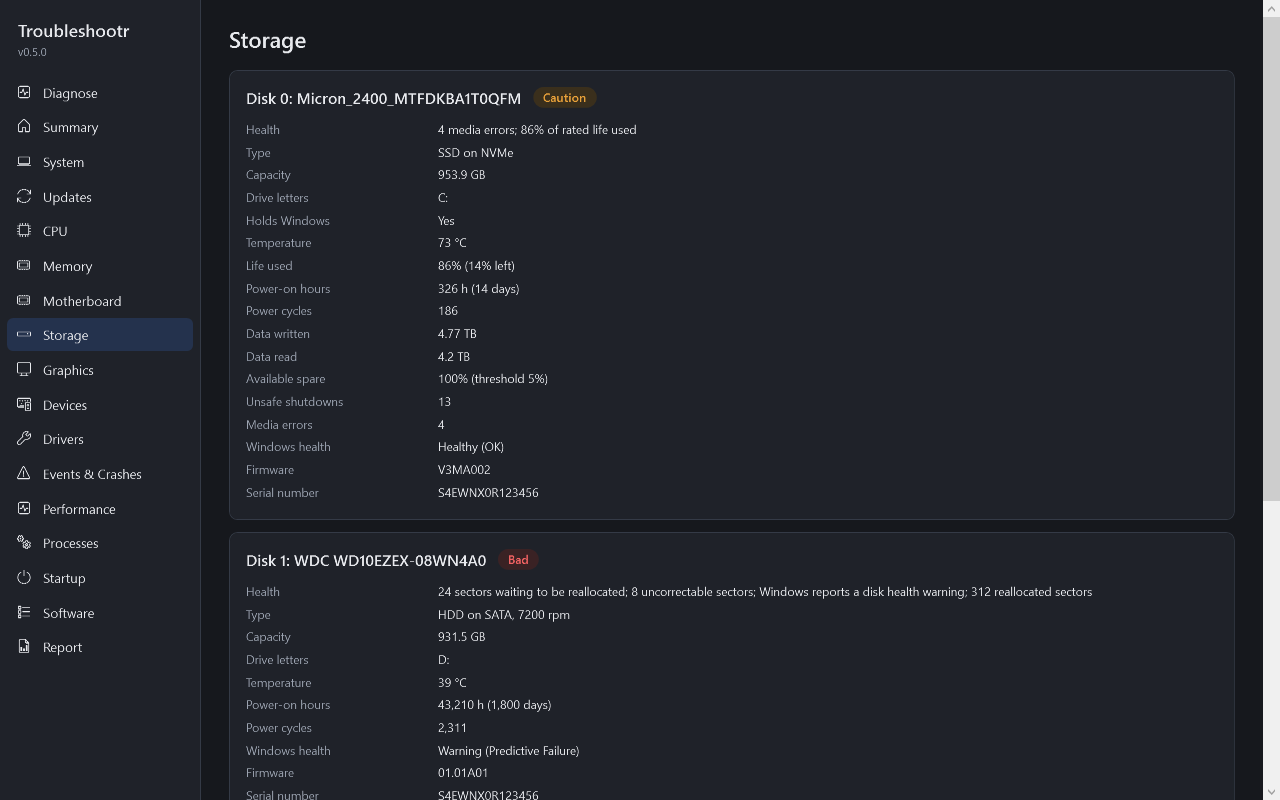
CrystalDiskInfo-level SMART and NVMe health: Good, Caution or Bad, reallocated and pending sectors, wear, temperature and hours. Reads SATA drives in USB enclosures too.
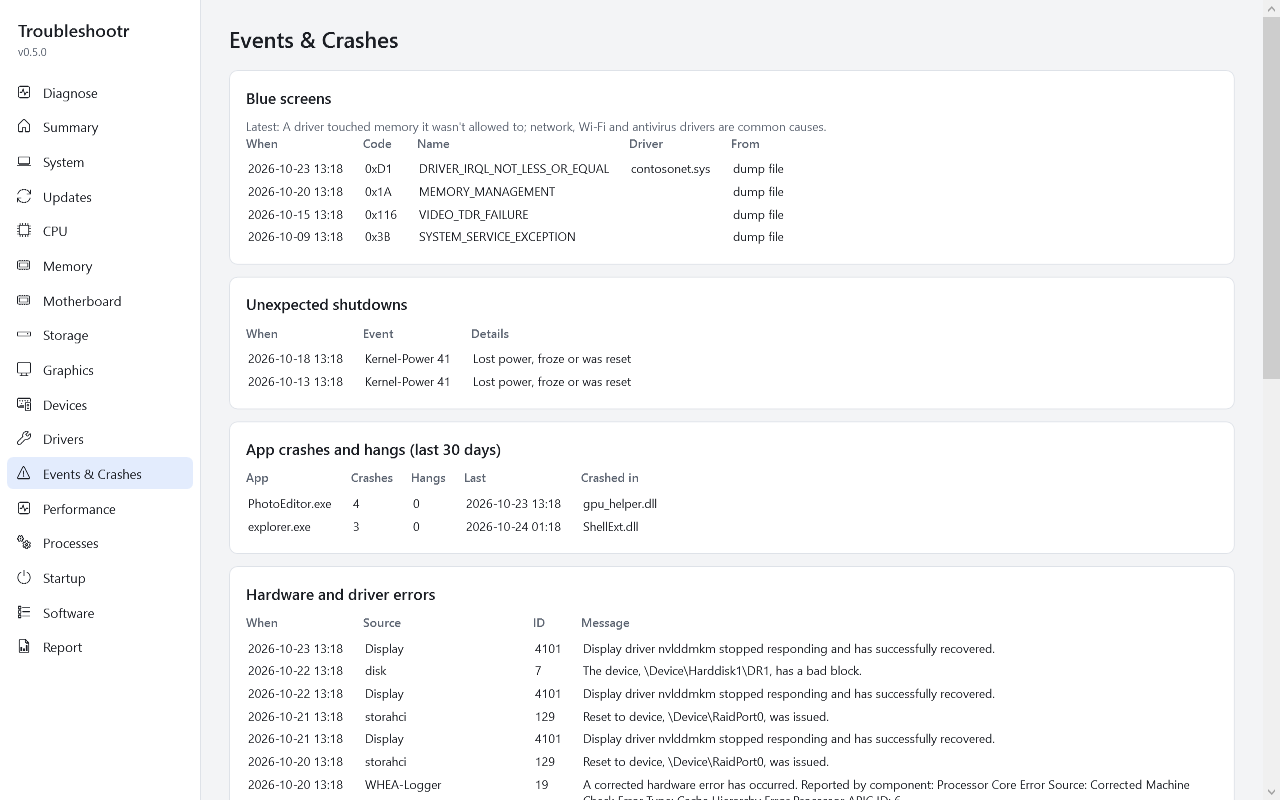
Blue screens
Every crash in the last 30 days, its code in plain English, the driver at fault from the dump file, and the pattern: one bad driver, the graphics card, or random codes that point at RAM or power.
Event logs that make sense
Disk errors, hardware (WHEA) errors, graphics driver resets, unexpected shutdowns, failing services and apps that keep crashing, pulled out of Event Viewer and grouped. Plus a searchable error timeline.
Memory
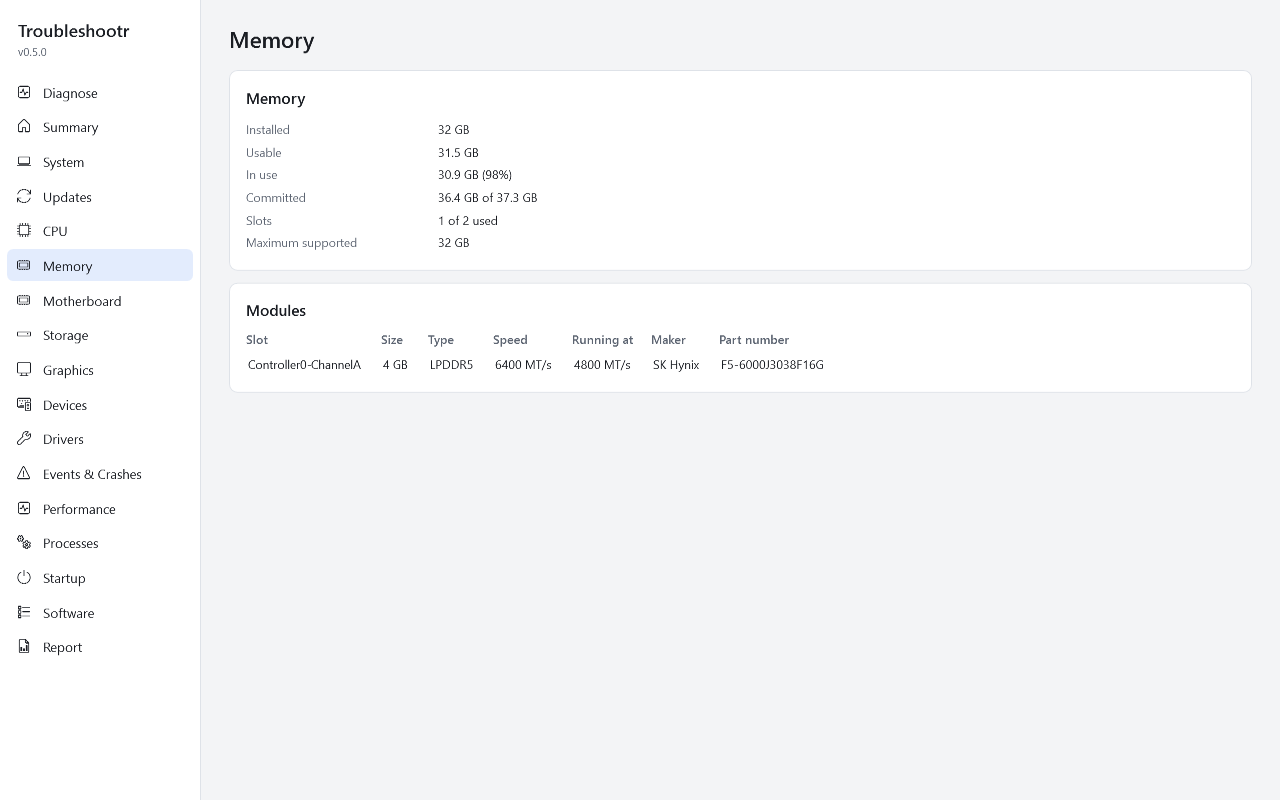
RAM running below its rated speed, single-channel setups, mismatched sticks, failed Windows Memory Diagnostic results, corrected memory errors, and crash codes that point at bad RAM.
CPU and graphics
Intel 13th/14th-gen chips missing the microcode fix that stops permanent damage, machine-check errors, firmware speed limits, graphics driver timeouts and GPU crashes, monitors plugged into the motherboard instead of the card, and screens left at 60 Hz.
Windows health
Unsupported Windows versions, pending restarts, broken WMI, important services turned off, damaged system files (SFC/DISM), temporary user profiles, slow boot and what causes it, and the Reliability Monitor score.
Drivers and devices
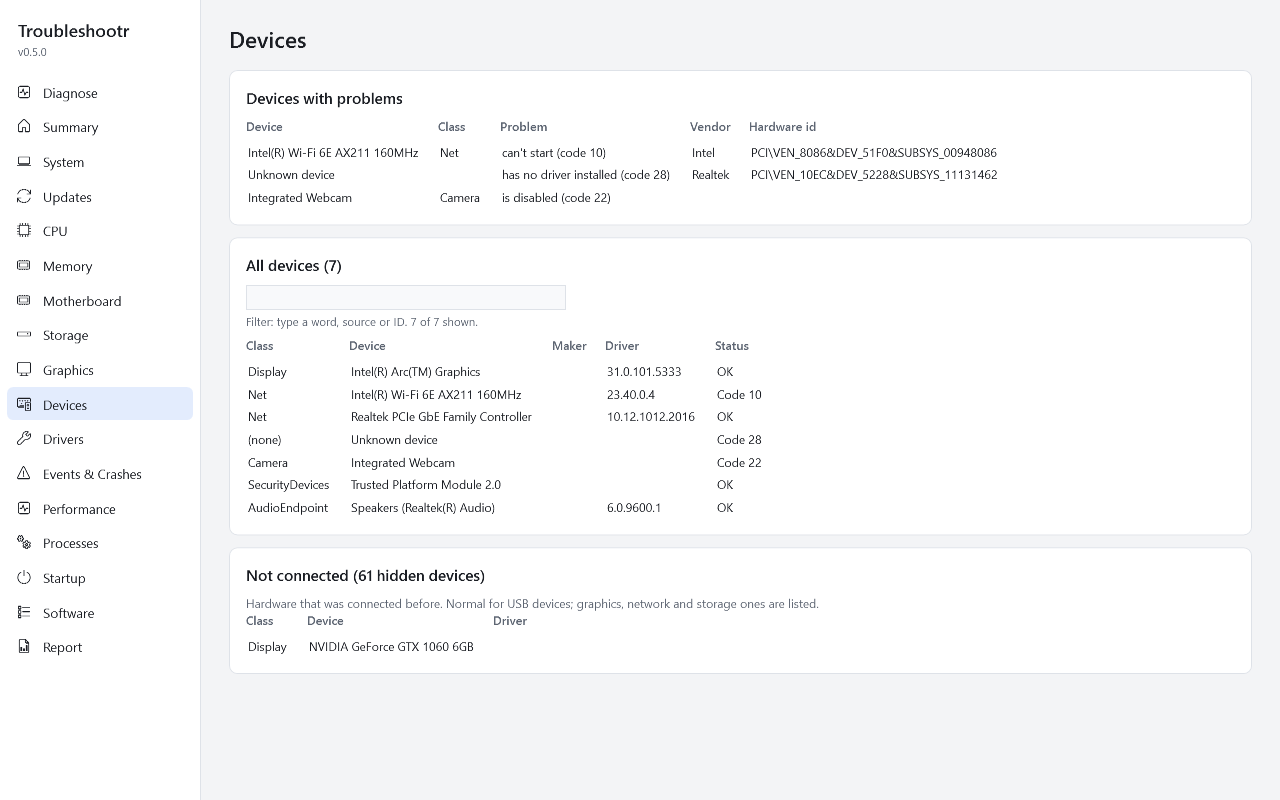
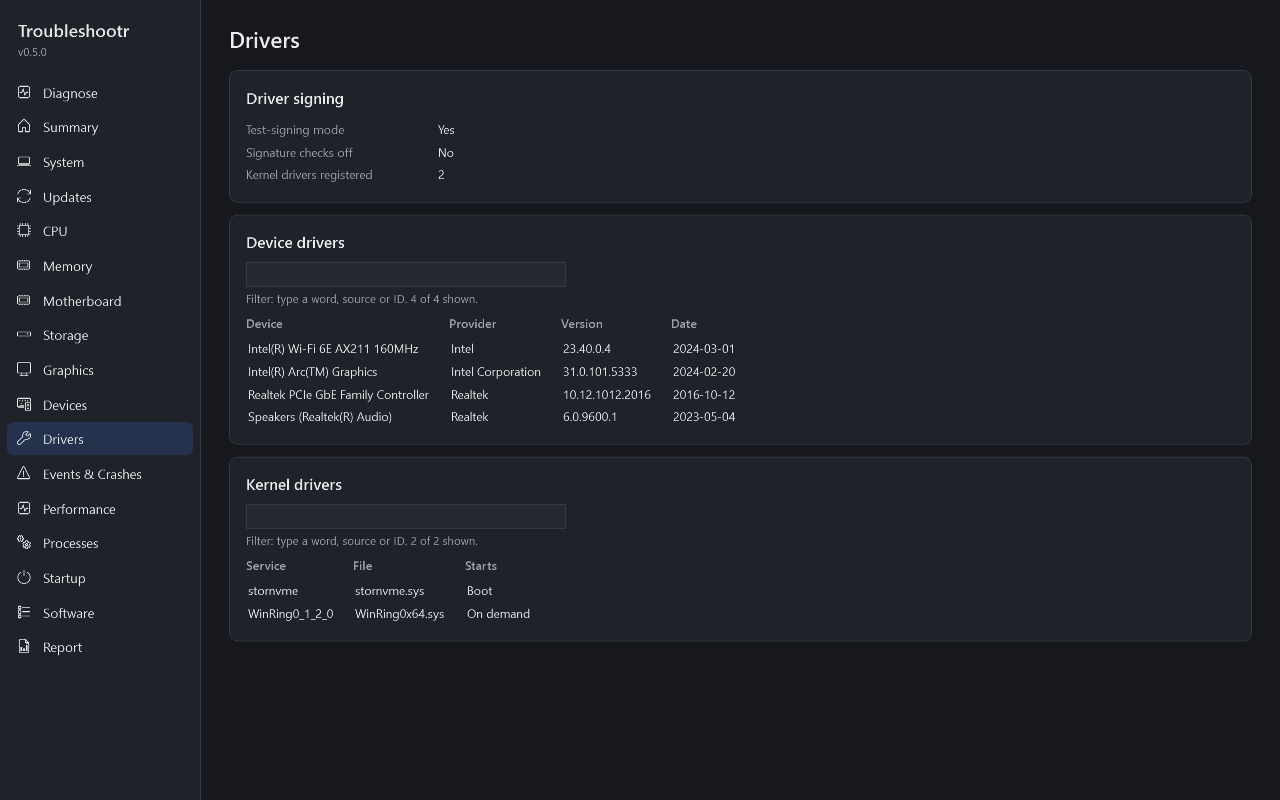
Device Manager problems explained in plain English, devices with no driver named by maker, very old or vulnerable drivers (WinRing0 and friends), unsigned-driver mode, and leftovers from an old graphics card.
Windows Update and Windows 11
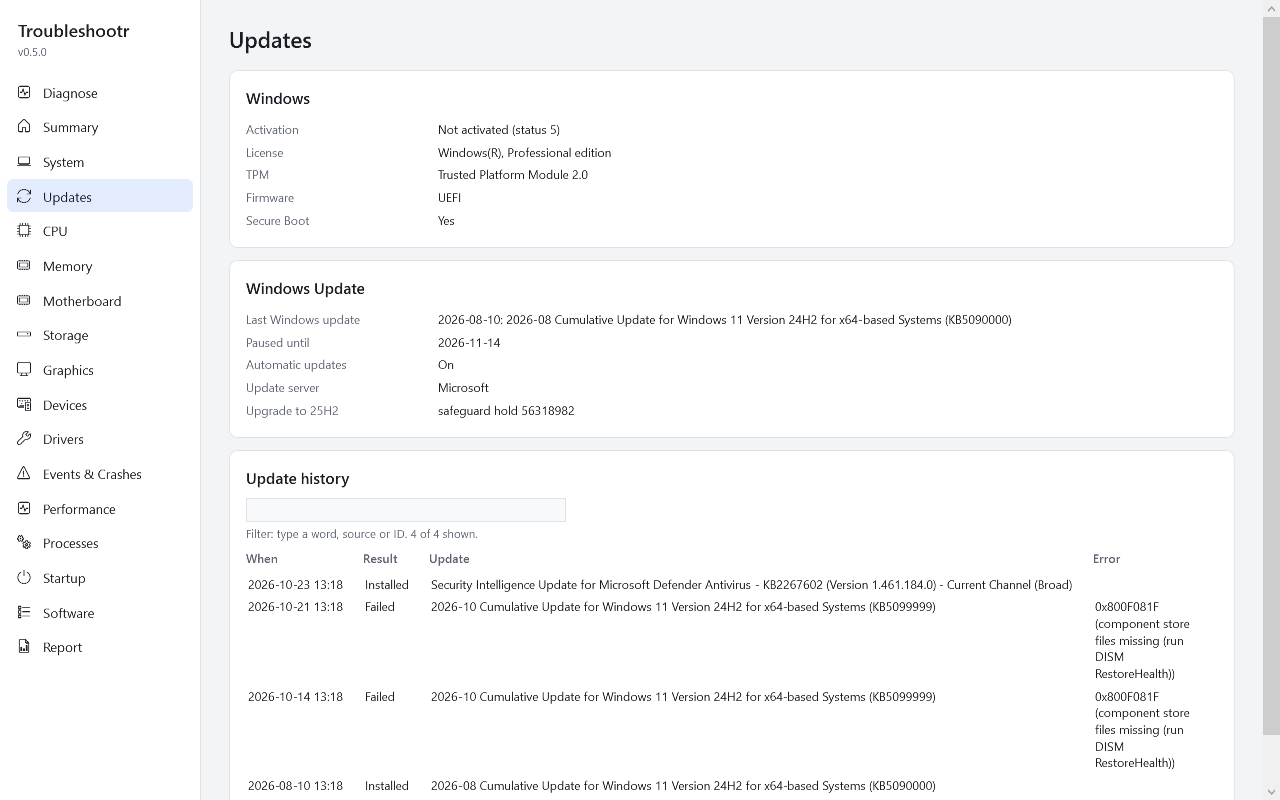
When Windows last updated, which updates keep failing and why (error codes explained), paused or blocked updates, safeguard holds, activation, and exactly what stops a Windows 10 PC moving to Windows 11.
Slow PC answers
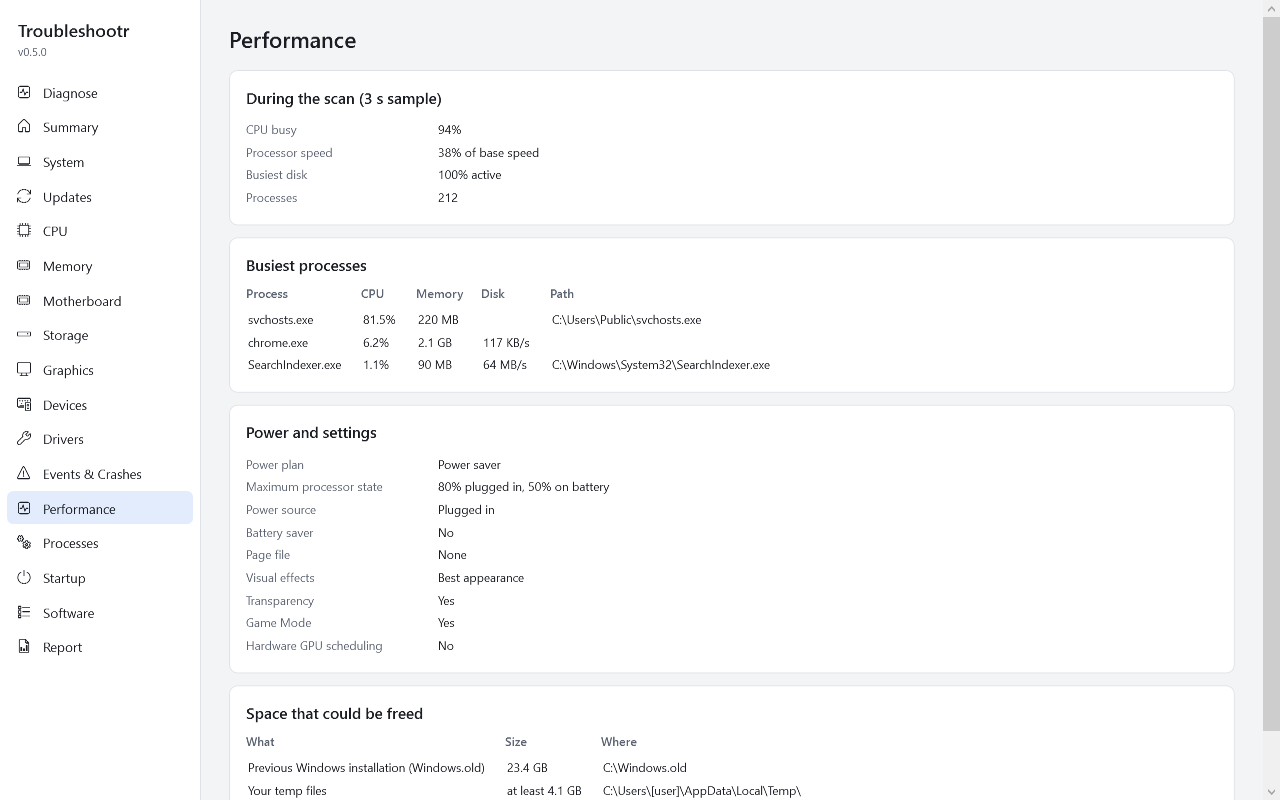
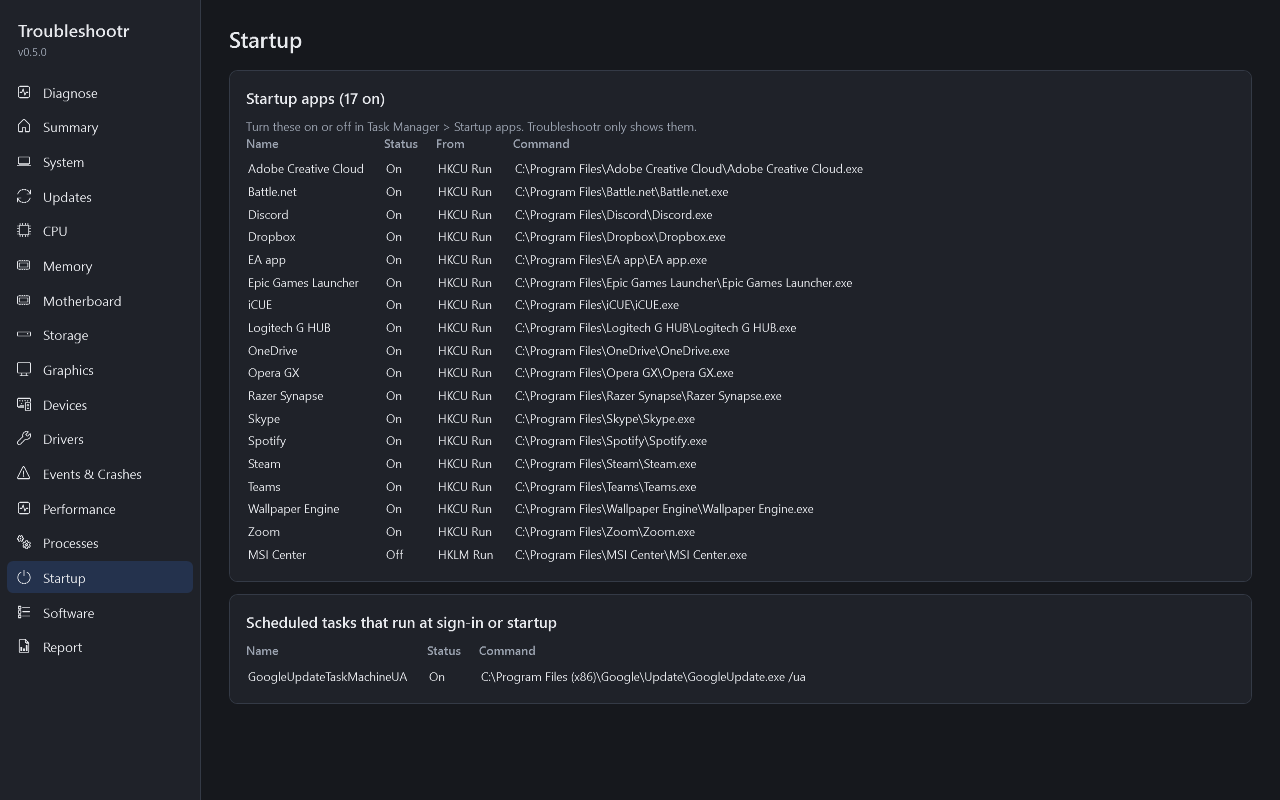
A short sample of what the PC is doing: maxed-out CPU, a disk stuck at 100%, programs hogging memory, a throttled processor, too many startup apps, a power plan holding it back, no page file, "optimizer" adware, and gigabytes of junk that could be freed.
Reports for the ticket
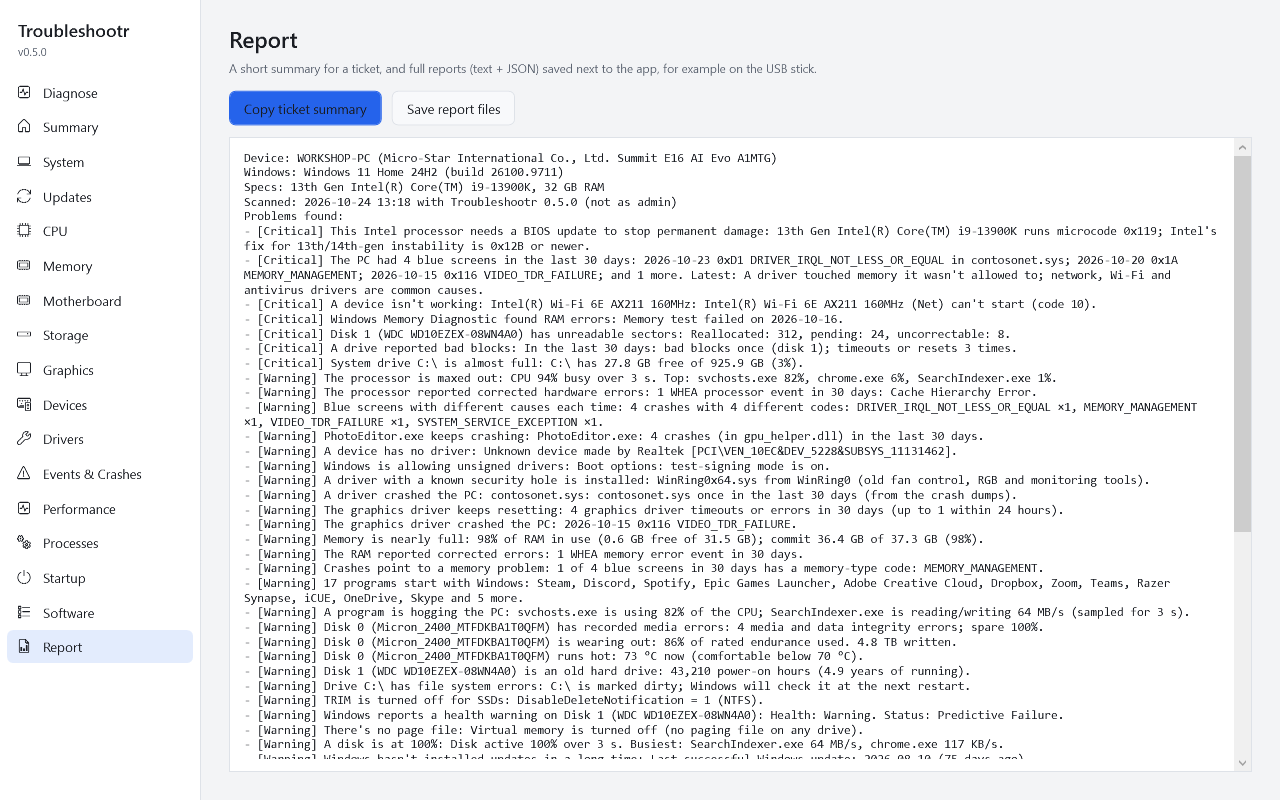
Copy a short summary straight into your ticket system, or save full text and JSON reports next to the app on the USB stick. The command-line tool can anonymize a report (strips names and serial numbers).
Full system info
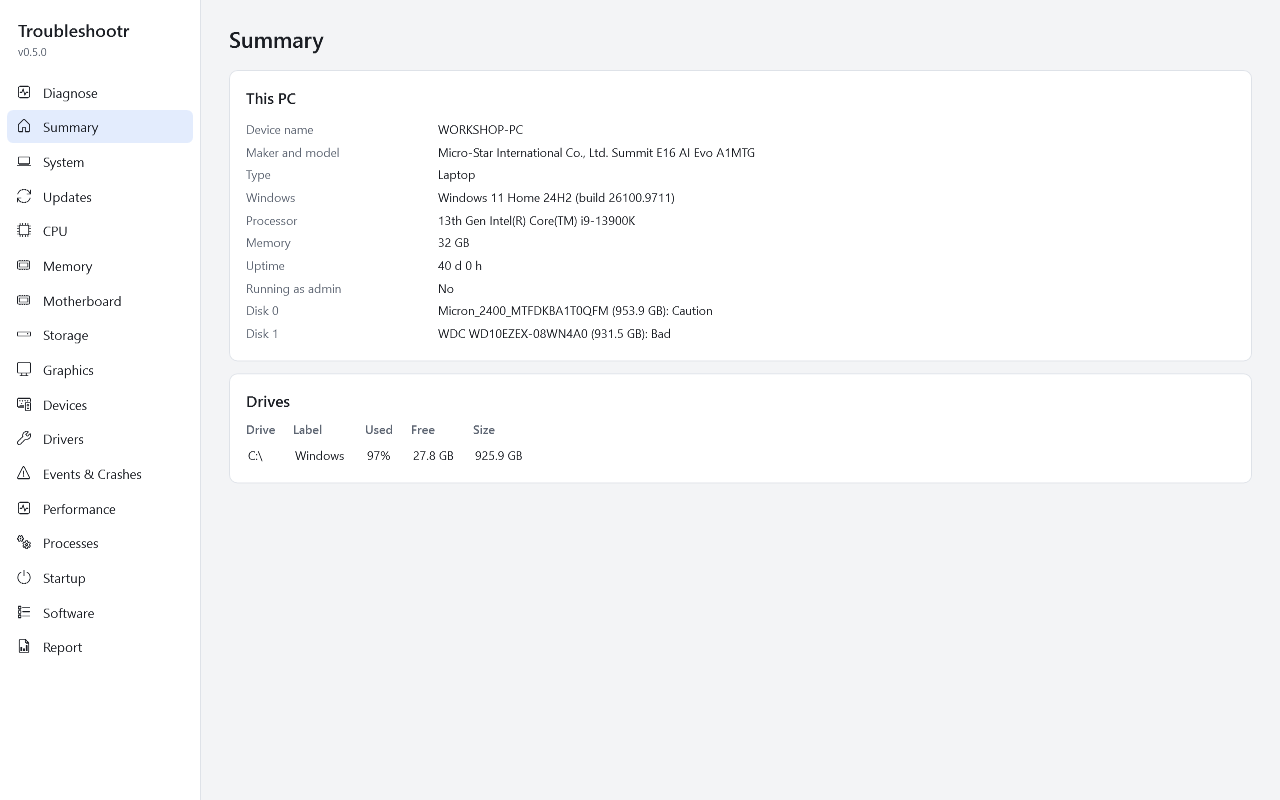
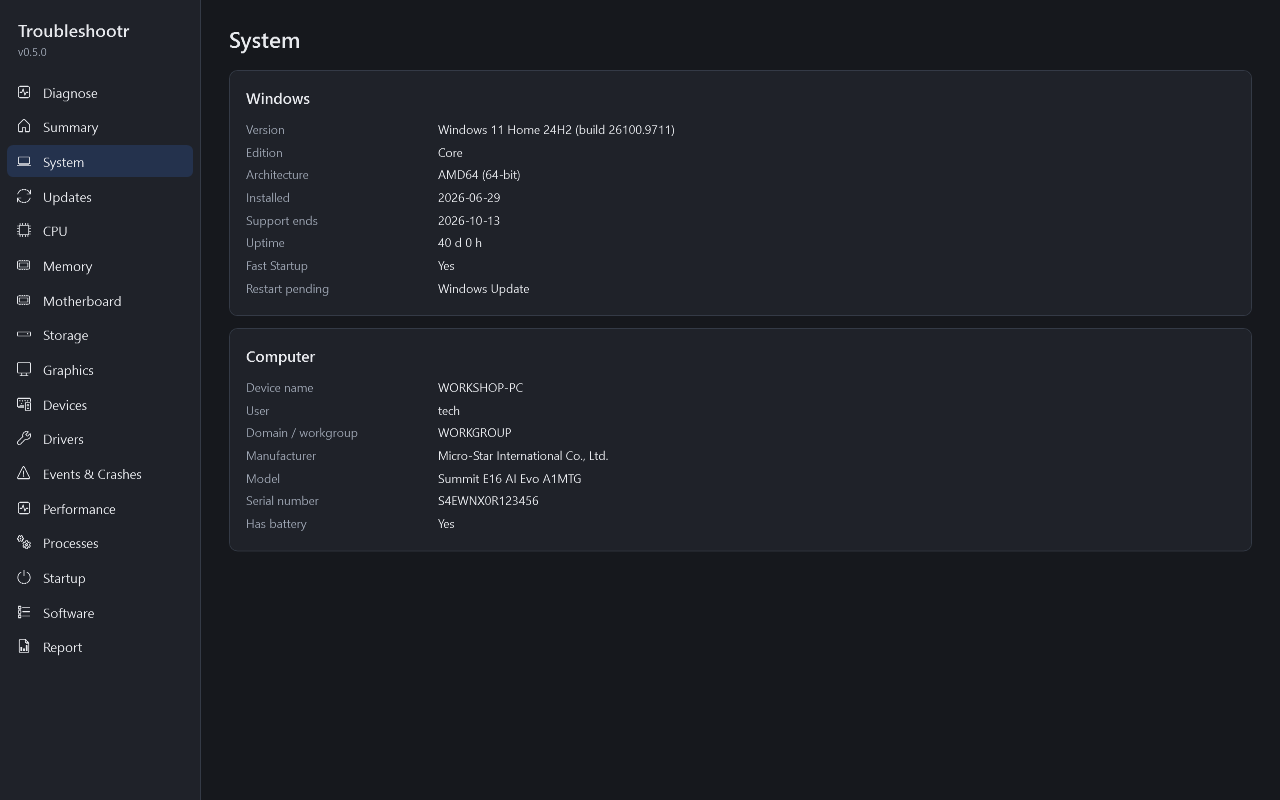
Tabs for System, Updates, CPU, Memory (every stick, speed and part number), Motherboard and BIOS, Storage, Graphics, Devices, Drivers, Events & Crashes, Performance, a live Processes view, Startup apps and installed Software. Every value can be selected and copied.
Safe on a customer's PC
Portable and read-only: no installer, no registry writes, no kernel driver, nothing left behind. Works without admin; "Restart as admin" adds SMART, crash dumps and boot timing.
Ranked, so you start with what matters
Critical means near-certain trouble. When in doubt, Troubleshootr says so instead of raising a false alarm.
"Disk 1 has unreadable sectors: reallocated 312, pending 24. Back it up now."
"Blue screens with different causes each time: test the RAM and remove any overclock."
"Crash dumps are turned off, so the next blue screen can't be diagnosed."
Screenshots
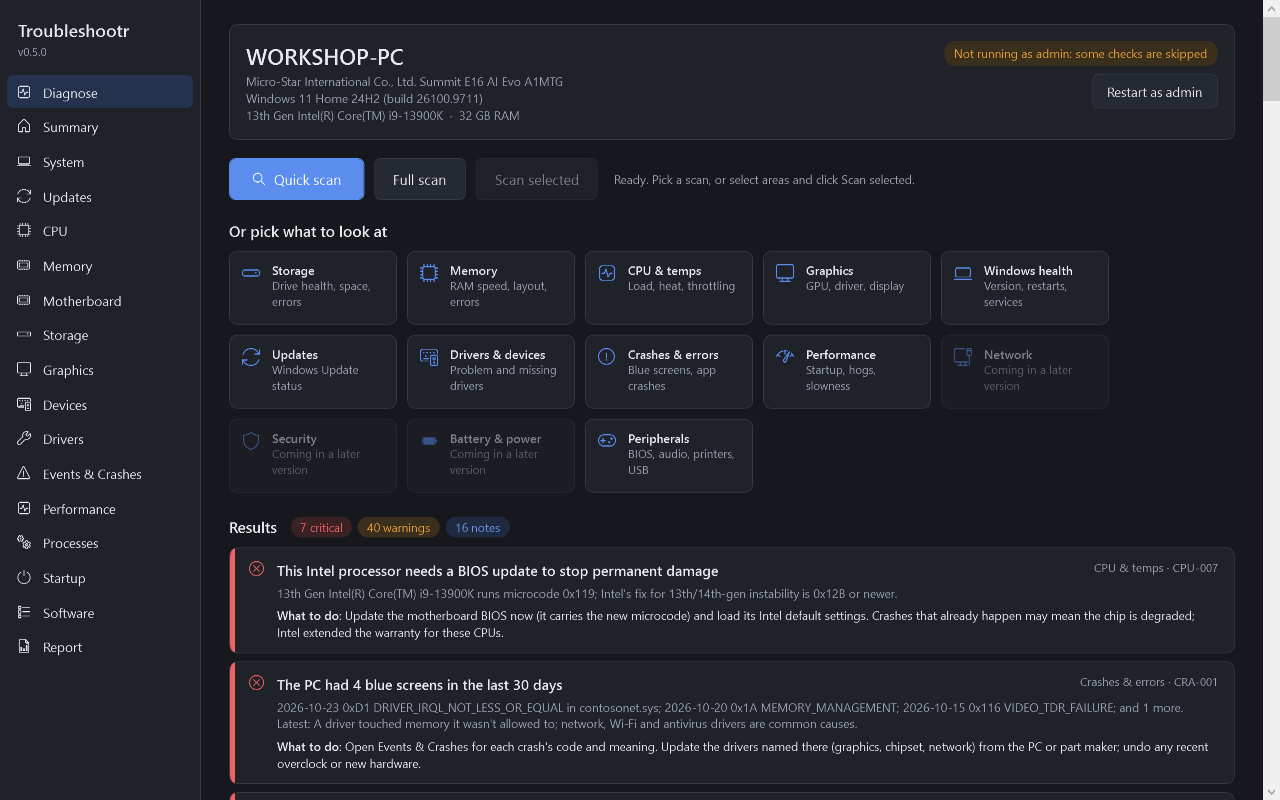
Light and dark themes follow Windows. These show a demo PC with one of every problem.
Roadmap
A new preview comes out after each part is finished. The full list of planned checks is in the check catalogue.